Find your rhythm.
Cut, trim and arrange your shots on a multitrack timeline. Organize your sequences while keeping your edit in focus.
EDITING & SEQUENCESOne timeline. So many possibilities.
Kut-Studio brings your footage, sound and creativity together in one workspace.
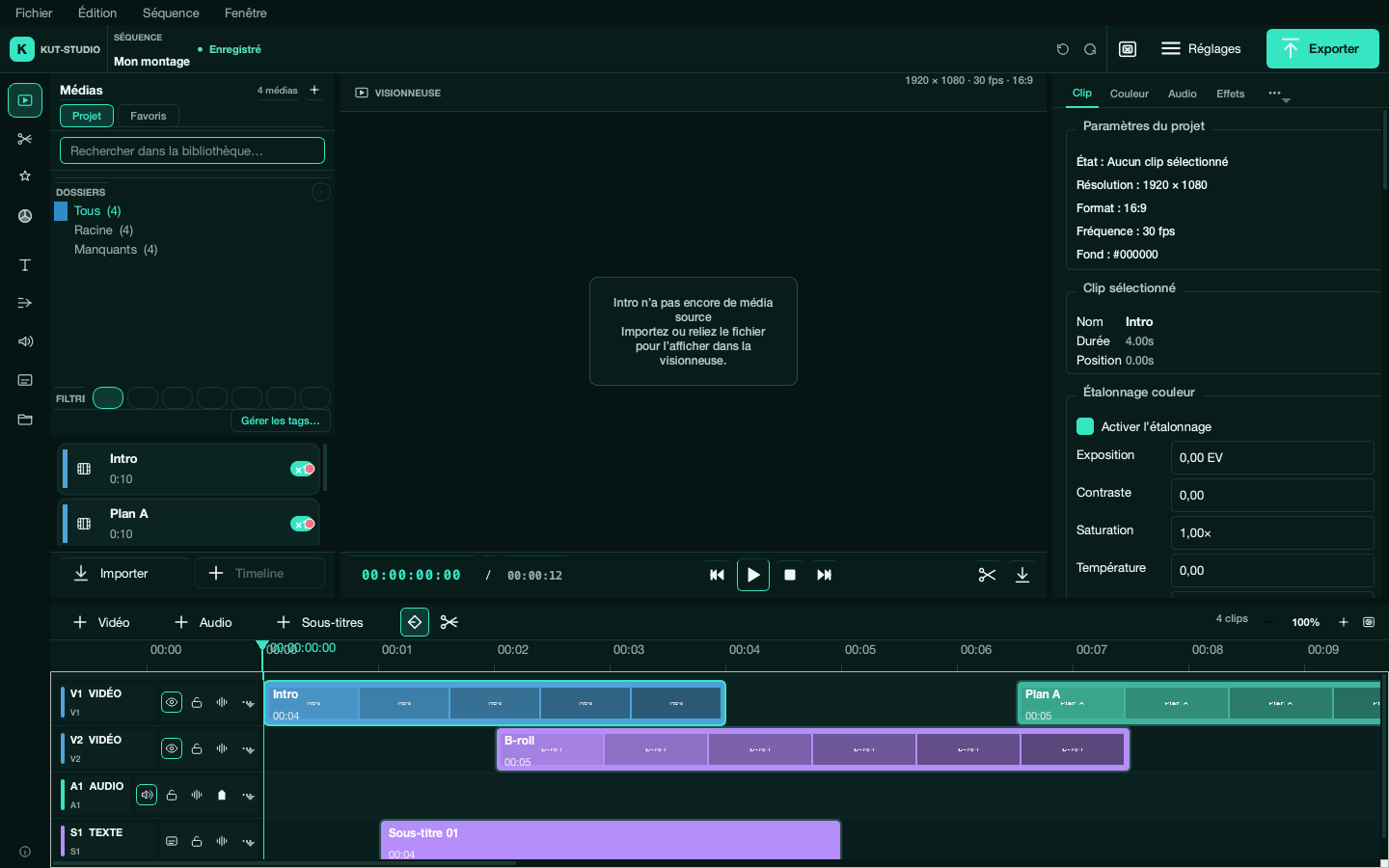
From the first cut to the final frame, stay in control of what makes your video yours.
Cut, trim and arrange your shots on a multitrack timeline. Organize your sequences while keeping your edit in focus.
EDITING & SEQUENCESFine-tune exposure, contrast and saturation. Color tools and LUTs help you create a consistent look.
COLOR & GRADINGAdd titles, style your text and support your story with SRT subtitles.
TITLES & SUBTITLESBalance your tracks, adjust the volume and build a soundscape that supports your footage.
AUDIO & MIXINGAnimate position, scale, rotation and opacity with keyframes. Choose effects and transitions that fit your vision.
ANIMATION & EFFECTSExport your timeline with FFmpeg. Choose the format and settings that suit your video’s destination.
VIDEO EXPORTKut-Studio is in development. This overview includes tools from the working version; availability depends on the version you install.
A straightforward path from your files to a video that feels like you.
Bring your videos, images and audio files into the library. Gather your material before building your first sequence.
Download the app for your system. No GitHub account, no code to compile.
Unzip the archive, then move Kut-Studio.app to Applications.
ZIP ARCHIVE · .APP APPLICATIONExtract the entire ZIP, then open Kut-Studio.exe in the Kut-Studio folder. Keep the other files alongside it.
ZIP ARCHIVE · PORTABLE APPLICATIONExtract the entire ZIP, then run Kut-Studio/Kut-Studio. If needed, make this file executable.
ZIP ARCHIVE · PORTABLE APPLICATIONPython is bundled with these apps. FFmpeg and ffprobe still need to be installed separately for importing, previewing and exporting media.
With Homebrew installed, open Terminal:
brew install ffmpegRun this in Command Prompt, then restart Kut-Studio after installation:
winget install Gyan.FFmpegsudo apt install ffmpeg libegl1
chmod +x Kut-Studio/Kut-StudioDevelopment versions from successful builds of the main branch. Direct downloads are served by nightly.link from GitHub Actions archives. No .dmg, .msi or .deb packages yet; these builds are not signed installers. Links follow the available builds and are subject to their retention period.
Documentation and source codeImprovements to make installation easier, editing smoother and creative work more flexible.
Signed applications and automated releases to simplify installation and the distribution of new versions.
Improve preview and timeline performance on large projects while continuing to stabilize the application.
Extend GPU preview to LUTs, color grading and scopes for more ways to work on your image.
Animate text character by character, animate colors and mask vertices, and apply effects within groups.
Explore GPU-accelerated optical flow, neural interpolation and real-time processing. Work on these extensions has not started yet.
Explore automatic multicam proxies, setups with 16 or more angles, live capture and more advanced synchronization tools. Work on these extensions has not started yet.
These goals come from the project roadmap. No release dates have been announced; priorities and scope may change.
View the roadmap on GitHubThe source code is available under the MIT license. You can use it, study it and contribute to the project.
The downloadable apps are built for macOS Apple Silicon, Windows x64 and Linux x86_64. Python is included. FFmpeg and ffprobe are still required to work with your media.
Kut-Studio is a desktop application. Your files are processed locally on your computer; this website introduces the app and helps you install it.
Visit the GitHub repository to explore the code. If you find a problem, open an issue and describe your system and the steps to reproduce it.